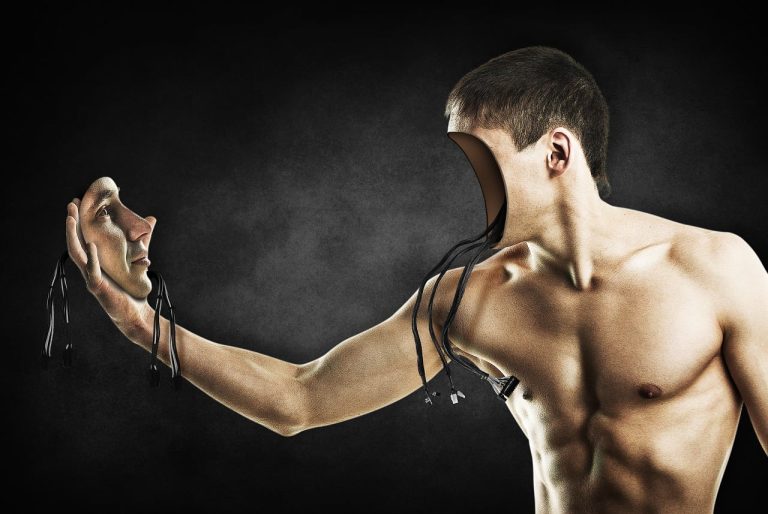
In the age of social media, stunning visuals are key to engagement. But capturing the perfect image is only half the battle; editing plays a crucial role in achieving that wow factor. Whether you’re an amateur photographer or a seasoned pro, the right editing app can elevate your mobile photos to a whole new level.
This list highlights the top 10 mobile photography editing apps that can transform your shots into breathtaking masterpieces. Get ready to unleash your creativity and make your images pop!
1. Adobe Lightroom – Best For Professional Editing
Adobe Lightroom is a powerhouse in the mobile editing world. With its extensive range of tools, it’s perfect for photographers looking for professional-grade editing features on the go.
Key Features:
- Non-destructive editing
- Advanced color correction tools
- Presets for one-click enhancement
Pros:
- Intuitive user interface
- Sync across devices
- Robust editing features
Cons:
- Subscription required for full features
- Can be overwhelming for beginners
2. Snapseed – Best For Free Editing
Snapseed offers a surprisingly powerful suite of editing tools without any cost. From filters to healing tools, it’s perfect for quick edits and adjusting details in your images.
Key Features:
- Wide range of filters and effects
- Selective editing options
- Brush and healing tools
Pros:
- Completely free with no ads
- User-friendly for all skill levels
- Supports RAW editing
Cons:
- Limited export options
- Can be slow on older devices
3. VSCO – Best For Aesthetic Filters
VSCO is not just an editing app; it’s also a community for photographers. Its filters are perfect for giving your photos a unique and artistic style that stands out.
Key Features:
- High-quality artistic presets
- Slider tool for precise adjustments
- Built-in social platform
Pros:
- Great for maintaining consistent aesthetic
- Easy-to-use interface
- Engaging community features
Cons:
- Many filters require a paid membership
- Limited manual editing options
4. Afterlight – Best For Creative Edits
Afterlight is all about creativity and fun. With unique filters and textures, it allows you to add interesting elements to your photos.
Key Features:
- Creative filters and effects
- Text and frame options
- Double exposure feature
Pros:
- User-friendly design
- In-app purchases for additional features
- Ideal for social media content
Cons:
- Some features are paid only
- Can be limited compared to others for serious edits
5. Pixlr – Best For Collages
Pixlr is perfect for creating stunning collages and has a wealth of editing tools that make it versatile for any editing need.
Key Features:
- Collage maker with numerous templates
- Layer-based editing options
- Huge library of effects
Pros:
- Web version available
- Multiple features for creative freedom
- No account required to use basic features
Cons:
- Ads in free version
- Can lag on lower-end devices
6. Darkroom – Best For Color Grading
Darkroom is a sophisticated app geared towards those who want detailed color grading and advanced editing capabilities right from their mobile device.
Key Features:
- Color and B&W editing tools
- RAW photo support
- Batch editing capabilities
Pros:
- Highly customizable
- Simple interface for advanced techniques
- Fast processing times
Cons:
- Some features are subscription-based
- Limited presets compared to competitors
7. PicsArt – Best For Creative Effects
PicsArt offers a comprehensive creative suite that caters to all types of edits. Its combination of photography tools and artistic features makes it a must-have app.
Key Features:
- Photo editing and drawing tools
- Stickers and cliparts gallery
- Customizable templates
Pros:
- Community features for sharing creations
- Fun and engaging to use
- Great for infographic creation
Cons:
- Free version comes with ads
- Requires time to learn all features
8. Fotor – Best For HDR Editing
Fotor is a robust photo editing app that offers an excellent HDR feature, making it perfect for enhancing details in landscapes and other dynamic images.
Key Features:
- High dynamic range (HDR) capabilities
- Artwork filters and effects
- Collage and design templates
Pros:
- User-friendly interface
- Quick sharing options
- Versatile design features
Cons:
- Limited free features
- Not as powerful as desktop versions
9. PhotoDirector – Best For Easy Animation
PhotoDirector stands out with its ability to create fun animated effects in photos, making it a fantastic choice for those looking to add a unique touch to their edits.
Key Features:
- Animation effects and overlays
- Image correction tools
- Collage maker and filters
Pros:
- Easy to learn and navigate
- Great for creating fun content
- Wide variety of features
Cons:
- Some features require in-app purchases
- Limited editing precision compared to professional apps
10. Google Photos – Best For Basic Edits and Organization
Google Photos is more than just a storage app. It offers basic photo editing functions that can cater to users’ needs while keeping photos organized conveniently.
Key Features:
- Automatic organization by date and location
- Simple editing tools
- Enhanced search capabilities
Pros:
- Seamless integration with Google services
- Cloud storage for photos
- User-friendly for all levels
Cons:
- Basic editing may not satisfy advanced users
- Storage limits for high-resolution photos
How to Choose the Right Mobile Photography Editing App
When selecting a mobile photography editing app, consider your skill level and editing needs. Are you a beginner seeking simplicity, or a professional needing advanced tools? Look for apps that offer features aligned with your goals, like filters, RAW editing, or batch processing. Test a few free versions to find the one that resonates with your artistic style.
#MobilePhotography #PhotoEditingApps #PhotographyTips #PhotoEditing #CreativePhotography #SmartphonePhotography #PhotographyCommunity