
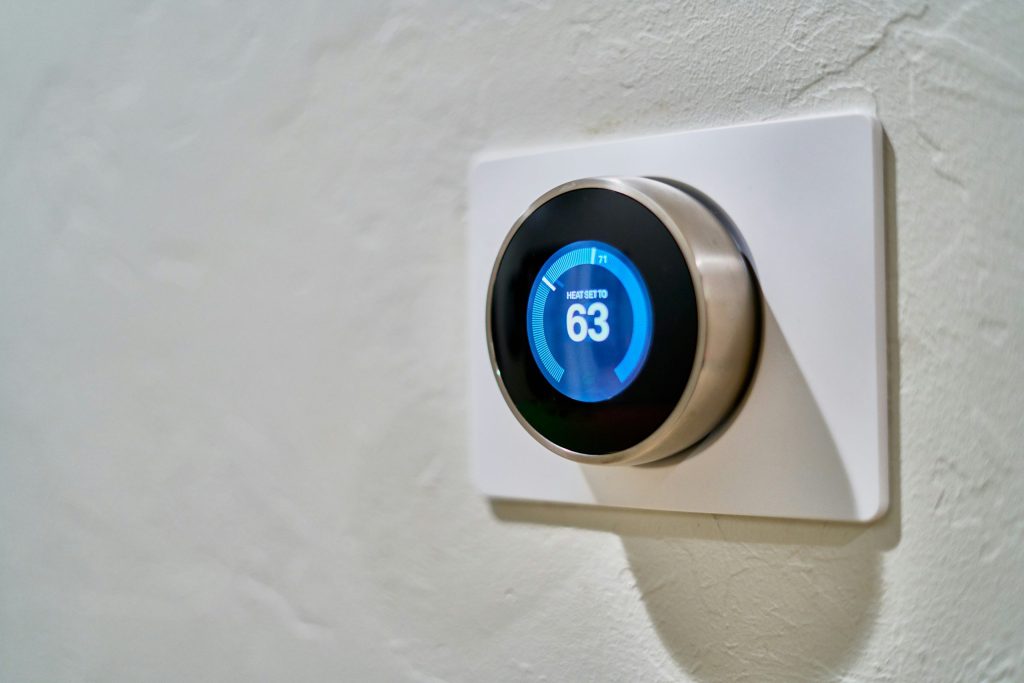
Are you tired of high energy bills and uncomfortable home temperatures? Smart thermostats with geofencing capabilities can revolutionize the way you manage your home’s climate. These devices use your location to adjust heating and cooling, ultimately saving you money and ensuring comfort.
In this article, we have compiled a list of the 8 best geofencing rules for smart thermostats that can help you maximize your energy savings. Stop wasting energy when you’re away and make your home more efficient with these smart strategies!
1. Away Mode Activation – Stop Wasting Energy
This rule applies when all the household members leave the designated geofence area. The thermostat automatically shifts to energy-saving modes when the last person leaves.
Key Features:
- Automatically adjusts temperature when no one is home
- Enhances energy efficiency
- Reduces reliance on manual adjustments
Pros:
- Significantly lowers energy bills
- Convenient and hassle-free
- Increases system lifespan by reducing wear
Cons:
- May take time to set accurate geofencing
- Potential issues with GPS accuracy
2. Home Mode Activation – Comfort at Your Fingertips
This rule turns your thermostat to a comfortable temperature just as you enter your home zone, ensuring you walk into a cozy environment.
Key Features:
- Personalized comfort settings
- Can be tailored for different times of day
- Integrates with home security systems
Pros:
- Instant comfort upon arrival
- Improves indoor air quality
- Great for family members with differing preferences
Cons:
- Requires a reliable smartphone
- May need regular updates for optimal performance
3. Eco Mode During Work Hours – Maximize Savings
Automatically activate energy-saving settings during work hours when you and your family are typically out, allowing for substantial savings on energy bills.
Key Features:
- Smart scheduling based on activity patterns
- Reduces energy waste
- Flexible to suit different work schedules
Pros:
- Significantly cuts down on wasted energy
- Easy to set and forget
- Ideal for telecommuters with variable schedules
Cons:
- May not suit every family’s schedule
- Potential for overcooling in winter
4. Vacation Mode – Save While You’re Away
Activate this rule when you leave for an extended vacation so the thermostat adjusts to maintain a safe temperature, balancing comfort while minimizing energy use.
Key Features:
- Customized temperature settings for longer absences
- Alerts for unusual temperature fluctuations
- Smart energy report to track savings
Pros:
- Prevents home damage from extreme temperatures
- Reduces total energy consumption
- Easily adjustable via mobile app
Cons:
- Requires initial setup to function properly
- Reliant on stable internet connection
5. Priority Heating/Cooling Based on Weather – Adapt to the Elements
This rule prioritizes heating or cooling during extreme weather events based on forecasts, ensuring optimal comfort without unnecessary energy waste.
Key Features:
- Weather integration for real-time adjustments
- Customizable preference settings
- Helps maintain a stable home environment
Pros:
- Ideal for energy efficiency during seasonal changes
- Improves overall comfort
- Simple to configure all year round
Cons:
- Confusion during quick weather fluctuations
- May require constant internet access
6. Geofencing Alerts – Stay Informed
Set up alerts for unexpected temperature changes or when you’re closer to home, allowing you to adjust the thermostat to your liking before arrival.
Key Features:
- Smart notifications to your smartphone
- Real-time data updating
- Alerts for potential issues
Pros:
- Keeps you actively involved in energy savings
- Prevents unwanted surprises
- Allows for last-minute comfort adjustments
Cons:
- May generate false alarms
- Requires an active connection to work effectively
7. Multi-User Functionality – Optimize Everyone’s Preferences
This feature allows multiple users to set their own rules and temperature preferences, catering to the needs of everyone in the household, thus maximizing comfort and savings.
Key Features:
- Individual profiles for every household member
- Adapts to various schedules
- Shared access for real-time adjustments
Pros:
- Accommodates diverse comfort levels
- Enhances family engagement with energy savings efforts
- Offers a more personalized experience
Cons:
- Increases complexity for some users
- Requires careful management for optimum results
8. Integration with Other Smart Devices – Automation at Its Best
Seamlessly integrate your smart thermostat with other smart home devices like lights and security systems to enhance overall energy efficiency while increasing convenience.
Key Features:
- Cross-device automation for maximum efficiency
- Fully controllable via central hub or app
- Create complex routines for nuance control
Pros:
- Simplifies control over multiple devices
- Comprehensive view of energy usage
- Helpful for managing larger homes
Cons:
- Integration may be challenging with some devices
- Maintenance of multiple systems may become cumbersome
How to Choose the Right Geofencing Rules for Your Smart Thermostat
When selecting suitable geofencing rules for your smart thermostat, consider your daily routines, family schedules, and seasonal changes. Look for features that allow customization and automation, ensuring maximum comfort while maintaining efficiency. Regularly update your preferences based on lifestyle changes to keep your smart thermostat working for you!
#SmartHome #EnergyEfficiency #Geofencing #ThermostatTips #HomeAutomation #EcoFriendlyLiving #SmartLiving #SustainableHome