



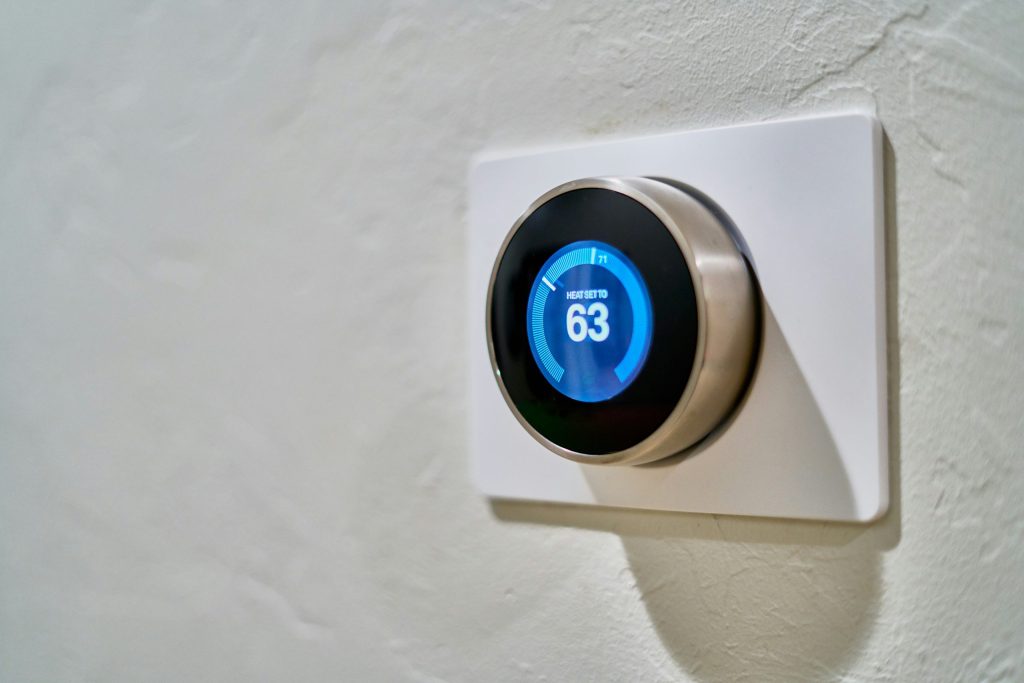
Are you tired of skyrocketing energy bills each month? Using a smart thermostat can significantly reduce your expenses, but the real savings come from utilizing effective energy-saving schedules. In this listicle, we’ll explore the best smart thermostat schedules designed to help you optimize comfort while minimizing costs.
By implementing these strategies, you can enjoy a cozy home environment without breaking the bank. Let’s dive into these energy-saving schedules that will keep your bills low and your savings high!
1. The Morning Wake-Up Schedule – Best For Energizing Your Day
This schedule gradually warms or cools your home before you wake up, ensuring a comfortable environment as you start your day.
Key Features:
- Adjusts temperature 30 minutes before you wake up
- Energy-efficient settings based on local climate
- Syncs with your alarm for seamless transitions
Pros:
- Increases comfort during morning routines
- Reduces energy use during non-active hours
- Promotes a smoother transition from sleep
Cons:
- Requires routine consistency to maximize efficiency
- May not suit all sleep patterns
2. The Workday Away Schedule – Best For When You’re Out
This schedule lowers the temperature or raises it while you’re at work, preventing unnecessary energy use in an empty home.
Key Features:
- Detects when you leave home using geofencing
- Automatically adjusts based on your work hours
- Compatible with smartphone notifications
Pros:
- Save significant energy during long absences
- Provides remote control via smartphone
- Offers peace of mind with alerts
Cons:
- May require initial setup for optimal geofencing
- Potential for glitches in detection if settings aren’t calibrated
3. The Evening Relaxation Schedule – Best For Wind-Down Time
Adjusting your thermostat in the evening helps create a perfect environment for winding down after a long day.
Key Features:
- Initiates temperature adjustments one hour before bedtime
- Allows for gradual cooling or warming
- Customizable settings for weekends and weekdays
Pros:
- Enhances sleep environment
- Improves overall comfort
- Reduces energy use at night
Cons:
- May not fit everyone’s bedtime routine
- Requires customization for best results
4. The Weekend Schedule – Best For Lazy Days
This schedule is perfect for those cherished weekends when you’re likely to be home most of the day.
Key Features:
- Adapts to typical weekend activities
- Sets specific cooling or heating settings for different times
- Allows for manual override if plans change
Pros:
- Maximizes comfort during leisure time
- Provides greater energy savings than a static weekend setting
- Customizable for group activities or outings
Cons:
- May not align with spontaneous weekend plans
- Requires consistent schedule input to be effective
5. The Holiday Schedule – Best For Festive Gatherings
Prepare your thermostat to accommodate friends and family during the holidays with a tailored schedule for gatherings.
Key Features:
- Senses increased occupancy and adjusts accordingly
- Custom settings for specific holidays or events
- Offers a temporary override feature for guests
Pros:
- Keeps guests comfortable while saving energy
- Helps to manage larger gatherings efficiently
- Remote adjustments during parties
Cons:
- Requires pre-setting well in advance
- Potential for increased energy use if not monitored
6. The Eco-Friendly Schedule – Best For Environmental Impact
This smart schedule prioritizes energy efficiency, helping you reduce your carbon footprint while saving money.
Key Features:
- Utilizes historical usage data
- Adapts to seasonal temperature changes
- Incorporates renewable energy sources if available
Pros:
- Contributes to sustainable living
- Significantly lowers utility bills
- Encourages energy conservation habits
Cons:
- May not immediately yield significant savings
- Requires awareness of usage habits
7. The Vacation Mode Schedule – Best For Extended Absences
When you’re away for an extended period, this schedule ensures your home stays safe and energy-efficient without overdoing it.
Key Features:
- Maintains a safe temperature inside
- Automatically alerts you if issues arise
- Usually incorporates energy-saving settings
Pros:
- Provides peace of mind while traveling
- Prevents potential damage from extreme temperatures
- Easy to activate from your mobile device
Cons:
- Requires accurate input of absence dates
- May not account for last-minute travel changes
8. The Manual Override Schedule – Best For Unique Needs
This schedule suits those who have unpredictable routines or want total control over their home temperatures at all times.
Key Features:
- Allows instant temperature adjustments at any time
- Easy toggling between automated and manual settings
- Custom settings can be saved for future use
Pros:
- Offers ultimate flexibility for changing needs
- Accommodates last-minute plans easily
- Ensures personal comfort at all times
Cons:
- Can lead to increased energy use if overused
- Potentially decreases automation efficiency
How to Choose the Right Energy-Saving Schedule
When selecting the appropriate energy-saving schedules for your smart thermostat, consider your personal routine, household size, and lifestyle patterns. Evaluate what times your home is typically empty, and ensure temperature adjustments align with your activity. With customization options available, you can find the best balance between comfort and energy savings.
#SmartThermostat #EnergySaving #LowerBills #HomeAutomation #EcoFriendlyLiving #Savings #SmartHome #HomeComfort